Trade the book, not the chart.
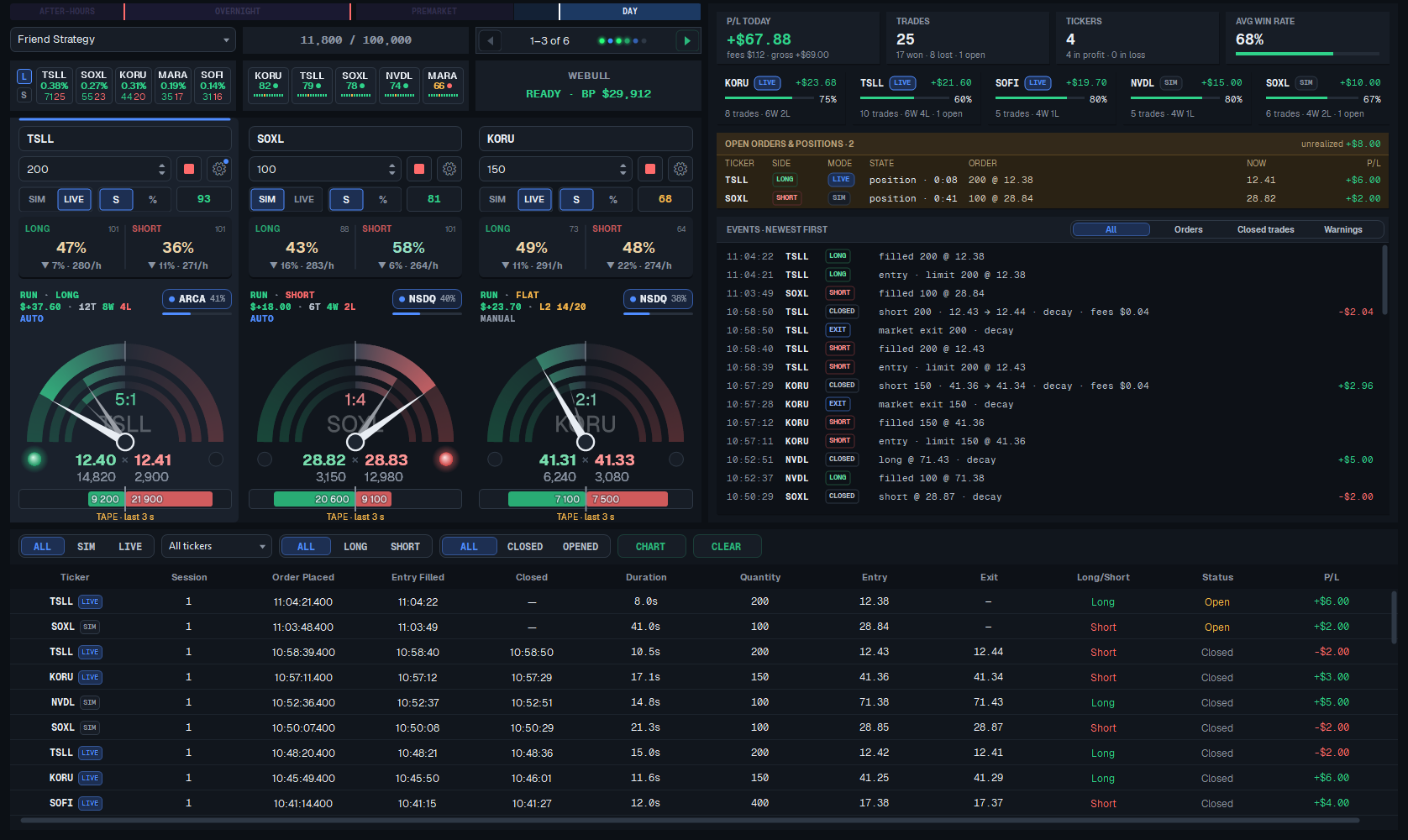
Friend Strategy Trader watches every exchange at the best bid and ask, adds up the size on each side and acts the moment one side overwhelms the other — then exits as soon as the book turns.
- Windows 10 / 11Windows 10 / 11
- IBKR Level II dataIBKR Level II
- Webull OpenAPI ordersWebull OpenAPI
- Start on SIM (paper)Start on SIM
Request access
Two minutes: name, email, broker, experience.
Personal review
Every request is read by a person.
Login by email
Install on Windows and start on SIM, LIVE when you choose.

Whole-market touch
Sums displayed size across NASDAQ, ARCA, BATS, IEX, NYSE and every other venue at the best bid and ask — not just one exchange.
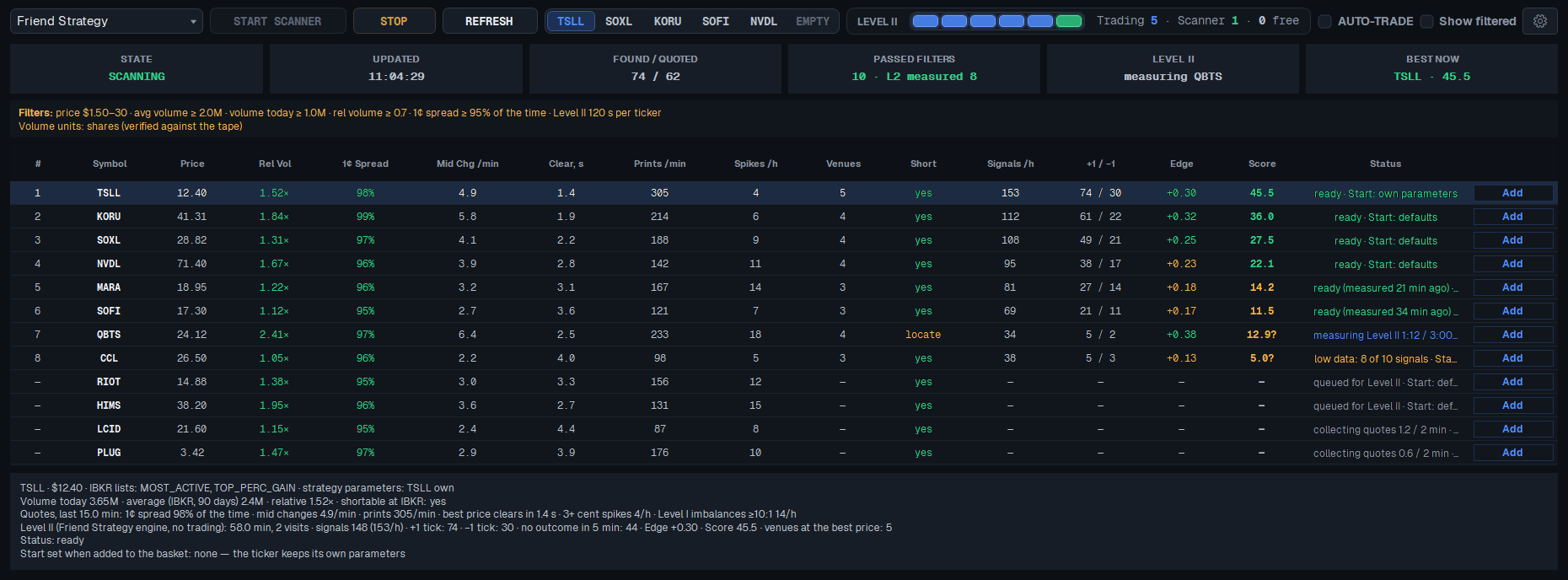
Tuned for every ticker
Each ticker's entry and exit settings are tuned and kept up to date for you. You decide the share size and the hours it trades.
Exits on the book
The position closes at market as soon as the book stops backing it, and a market stop protects every trade.
Trading basket
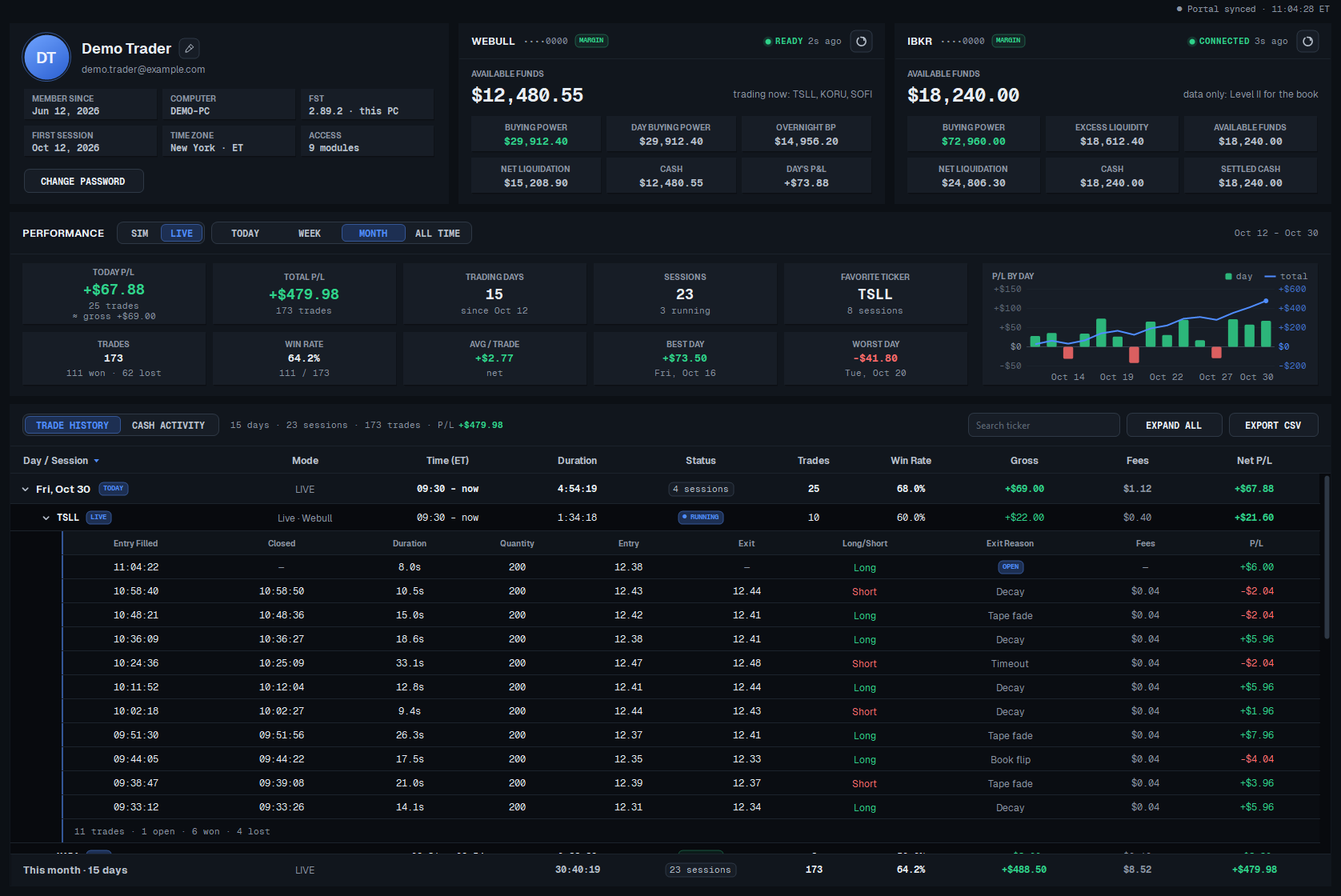
Run several tickers side by side, each in its own slot with its own share size and a live pressure gauge.
Fast execution
Orders go through the Webull OpenAPI on a dedicated thread, so the strategy keeps watching the book while the broker works.
SIM and LIVE
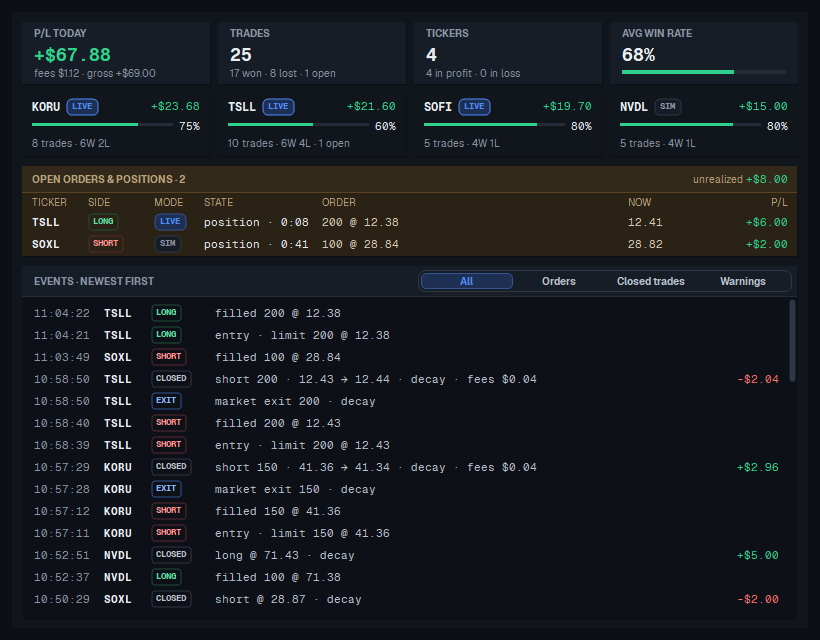
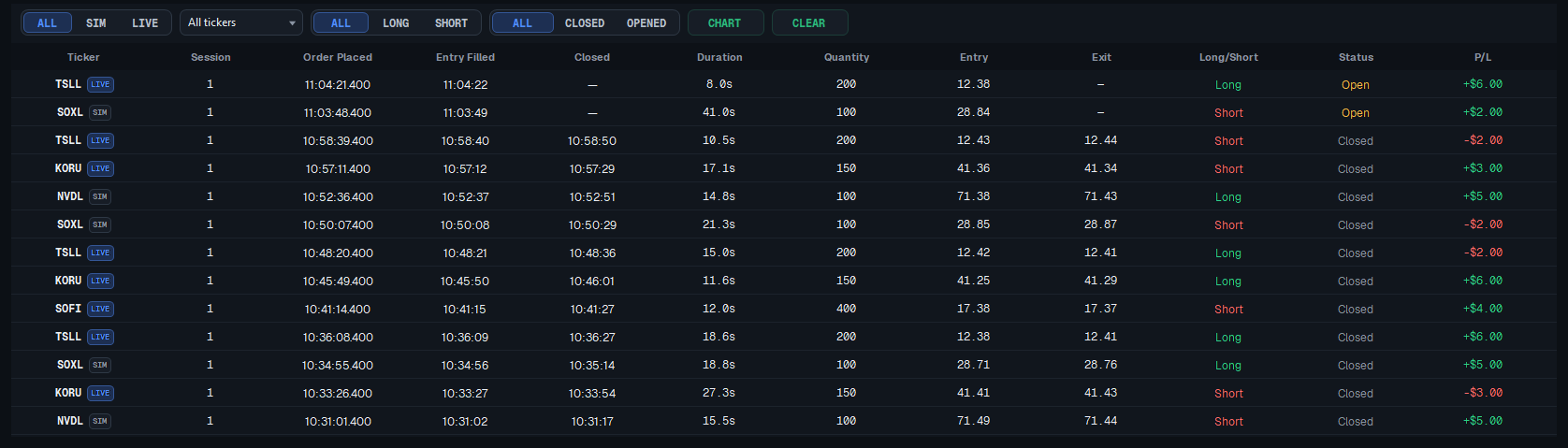
Trade on paper (SIM) or with real money (LIVE) from the same screen, with their results kept apart.
Read
IBKR Level II data streams the full depth of book for each ticker in your basket.
Measure
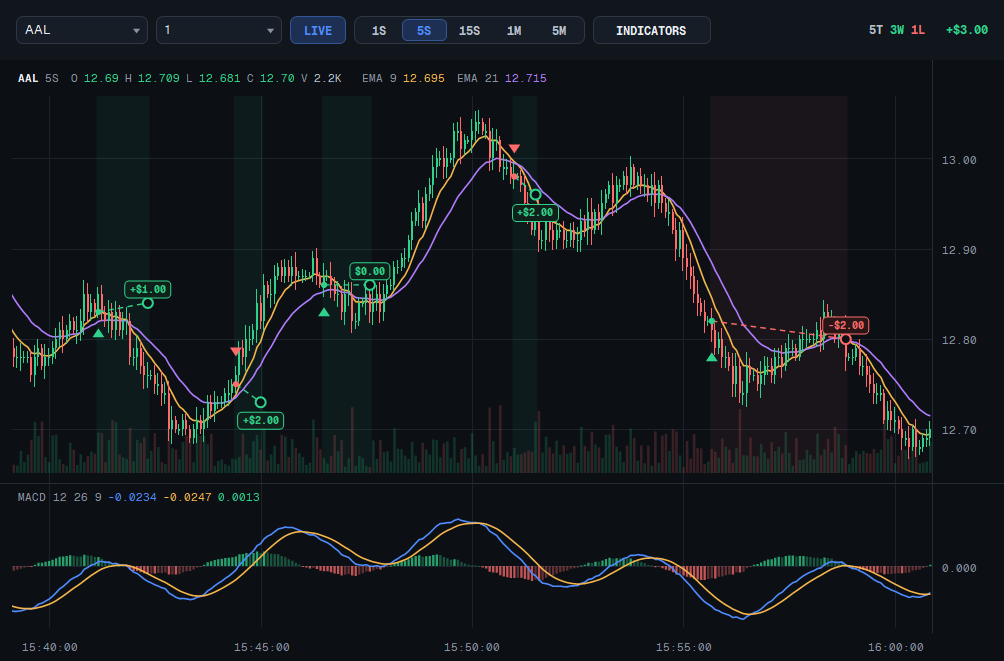
At the best bid and ask, size from every venue is summed. The gauge shows who leads and by how much.
Enter
When one side clearly outweighs the other, a limit order goes out at the best price.
Exit
When the book turns against the position, it closes at market. One position per ticker, no pyramiding.
Accounts & data
- Interactive Brokers account with TWS or IB Gateway and US Level II (depth of book) market data subscriptions
- Webull account with OpenAPI access for order execution
- Your own funds and your own trading decisions — the software never holds money
Computer
- Windows 10 or 11, 64-bit
- Stable, low-latency internet connection
- One licensed computer per account (can be moved on request)
Which accounts do I need?
An Interactive Brokers account with US Level II (depth of book) market data for reading the market, and a Webull account with OpenAPI access for orders.
Can I try it without real money?
Yes. Every ticker can run on SIM (paper trading) from the same screen. LIVE is a separate switch, and its results are kept apart.
Does FST hold my money?
No. Your funds stay in your own broker accounts, and every trading decision is yours. FST is software, not investment advice.
What computer does it need?
Windows 10 or 11, 64-bit, with a stable, low-latency internet connection. One licensed computer per account; it can be moved on request.
How does the review work?
Every request is read by a person. If it is approved, you get an email with your login and a temporary password for the app.
Which tickers does it trade?
US stocks and ETFs that you put in your basket. Each ticker gets its own slot, share size and trading hours.
Access is by invitation. Tell us a little about yourself — every request is reviewed personally. If approved, you will receive an email with your login and a temporary password for the app.
What happens next
- Every request is read by a person.
- If approved, you get an email with your login and a temporary password.
- Install FST on Windows, connect IBKR and Webull, and start on SIM.